May 21, 2012

Capturing an Oral History: Tips for Students


Capturing an Oral History

Oral histories help us to understand people and communities, giving personal and cultural context to history. Capturing an oral history is not difficult as long as you prepare for the interview in advance.

Preparing for the Interview

  • The interviewing team should have adequate background knowledge, as the interviewee will give responses that will lead to new questions and give new information and insights.
  • Student interviewers should know the context for terms, events, and people linked to the social and historical events being explored.
  • Questions should be generated in advance.
  • It is always a good idea to conduct a practice interview ahead of time.

Arranging the Interview

  • Contact the potential interviewee both in writing and over the phone to establish a rapport that is open and caring.
  • Describe the purpose of the project and make it clear to the interviewee why he or she is of value and interest to the students.
  • Ask the interviewee to provide any related photos, journals, or other artifacts that s/he may have; these can help to stimulate memories and lead to more insights.
  • Give specific examples of typical questions that will be asked and provide the final list of questions prior to the interview to allow the interviewee to reflect and prepare.

Interview Equipment

  • Get familiar with all features and controls of the audio and/or video equipment. Test all equipment prior to the interview and again after setting up at the interview location.
  • Try to use natural light as much as possible.
  • Be sure to have back-up batteries for all equipment and extra tapes or storage.
  • Use a ninety-minute tape to record a thirty-minute interview.
  • Use multiple cameras if you wish to film the interviewers and interviewee.

Setting Up at the Interview Location

  • Select a location convenient to the interviewee.
  • Select a quiet spot – try to record away from external noise (air conditioner vents, cell phones, etc.).
  • Use an external microphone or lip-on microphone, if possible, and encourage all individuals involved in the recording to speak up.
  • Locate and focus cameras to capture a full frontal image (head and shoulder shot) of the interviewee.

The Interview Process

  • The principal interviewer should state on tape the name of the project, the location and date of the interview, and the name of the interviewee and the interviewer(s). (You may refer to the interview team collectively — i.e. the seventh-grade students at ABC School.)
  • The interviewer(s)should stimulate the interviewee’s narrative by asking for details and examples or posing intelligent follow-up questions when appropriate.
  • The interviewer(s) should be sure to let the interviewee’s finish his/her narrative before shifting to new questions.

Interviewing Tips

  • Provide the interviewee a biographical data form to gain basic information about the individual.
  • Research the background of the interviewee and the events the person experienced.
  • Consider providing the interviewee with a list of questions in advance. This can help the person to prepare his/her thoughts, ideas, and stories.
  • Hold a practice interview; if possible, try to incorporate follow-up questions when appropriate.
  • Create questions that will require detailed answers and avoid questions that require only a Yes or No responses.
  • Be sure that the questions cover the five Ws and the H (who, what, when, where, why and how).
  • Break your questions up into topics, which will help the interviewee to remember experiences; a scattered approach to questioning can confuse both the interviewee and the interviewer(s).
  • Make sure the first few questions are easy, to help “warm up” the interviewee as well as the interviewer(s).
  • The interviewer(s) should maintain eye contact with the interviewee and demonstrate active listening skills (nods of encouragement, smiles, attentive body posture); interest in the interviewee’s story should be apparent.
  • Be sure to give the interviewer time to answer each question fully.
  • Be sure to give the interviewee enough time to tell her/his story, but don’t wear her/him out.
  • Appreciation should be expressed as the interviewer(s) exit and a written thank-you note should be sent to the interviewee within one week following the interview.
  • Offer to share the interview video or audio recording with the interviewee.

Oral History Interview Checklist

  • Is the interview environment free of anticipated distractions?
  • Has the proper introductory information been included?
  • Does the interview start with the interviewee providing a brief biographical sketch?
  • Has the interview team:
    • asked clear, singular questions?
    • avoided asking leading questions?
    • asked questions that elicit extended answers?
    • avoided making biased comments?
    • demonstrated a good knowledge of the subject?
    • allowed the interviewee time to think and respond?
    • avoided interrupting the interviewee?

Be sure to check out these other PSN posts related to oral history too!

Analyzing Primary Sources: Learning from Oral Histories

Oral History & Personal Narrative Collections

Searching Across LOC.gov

Searching Across LOC.gov

The Library of Congress is continually making improvements to the search functions of the online Library. Although the Library is vast and contains many sections, fruitful searches across LOC.gov are now possible.

Keyword search: “child labor” (quote marks used to indicate exact phrase)

Search Options

  • Use quote marks to search for an exact phrase.
  • Use - (minus symbol) to eliminate keywords (refine a search).
  • Sort By: Relevance (default), Title, Date
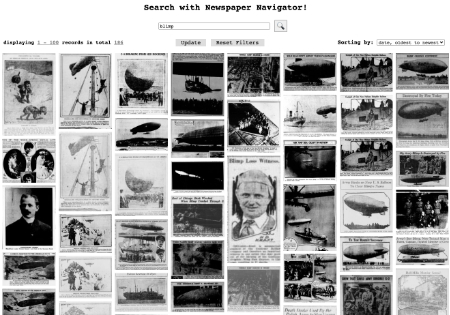
  • Result Display: List (default, 20 items per page), Gallery (thumbnail images or icons + title, 40 items per page),
    Grid (thumbnails, 100 items per page)
  • Formats: All (default); Audio;Book;  Film, Video; Legislation; Manuscript – Mixed Format; Map; Music Score; Newspaper; Periodical; Photo, Print, Drawing; Software, E-Resource; Web Page; 3-D Object
  • Sorting Options: Original Format, Online Format, Date, Sites and Collections, Contributor (creator/publisher), Subject, Location, Language

Sharing/Saving Options 

Refining a Search by Subject: Number of Matches

Questions?

Leave a comment or feel free to contact us!

Exploring & Searching American Memory Individual Collections


Each American Memory collection provides unique resources and options for searching and browsing the primary source collection items. These options can help you find primary source items more efficiently. The collection shown above presents digital scans of both Adams’s 242 original negatives and his 209 photographic prints. When he offered the collection to the Library in 1965, Adams wrote, “The purpose of my work was to show how these people, suffering under a great injustice, and loss of property, businesses and professions, had overcome the sense of defeat and dispair [sic] by building for themselves a vital community in an arid (but magnificent) environment…All in all, I think this Manzanar Collection is an important historical document, and I trust it can be put to good use.” Each American Memory collection provides a number of resources in addition to the primary source collections.

Ansel Adams Japanese-American Internment: Additional Collection Resources

  • Collection Highlights Gallery grouped by theme: Daily Life, Portraits, Agricultural Life, Sports and Leisure Activities
  • Ansel Adams Manzanar Timeline: 1902-2007
  • Born Free and Equal, by Ansel Adams (text and selected photographs)
  • Collection Connections: Teaching ideas divided into three categories: History, Critical Thinking, Arts & Humanities (note: collection connections are available for approximately half of all American Memory collections)

Browse/Search Example: Daniel A.P. Murray Pamphlet Collection

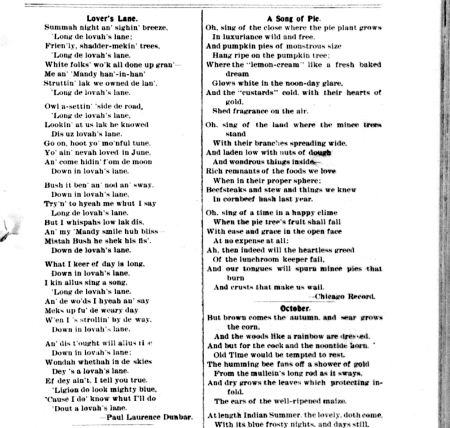
The Daniel A.P. Murray Pamphlet collection presents a panoramic and eclectic review of African-American history and culture, spanning almost one hundred years from the early nineteenth through the early twentieth centuries, with the bulk of the material published between 1875 and 1900. Among the authors represented are Frederick Douglass, Booker T. Washington, Ida B. Wells-Barnett, Benjamin W. Arnett, Alexander Crummel, and Emanuel Love.

Finding Example: find sources related to Frederick Douglass

  • Browse by Subject
  • Browse by Author
  • Search by Keywords: Descriptive Information
  • Search by Keywords: Full Text

Key Search Results: Frederick Douglass

  • When browsing by subject we get 3 results, all of which are exclusively about Frederick Douglass.
  • When browsing by author we get 7 results, all of which were written by Frederick Douglass.
  • When searching by keywords – descriptive information – we get 13 results, all of which contain the words Frederick Douglass in the bibliographic record.
  • When searching by keywords – full text – we get 100 results, 71 of which contain the exact phrase “Frederick Douglass”, 4 of which contain “Frederick” and “Douglass” but not near each other, and 25 of which contain one or more of the words “Frederick” and “Douglass”.

Exploring the Digital Library: American Memory Search Tips


Exploring American Memory

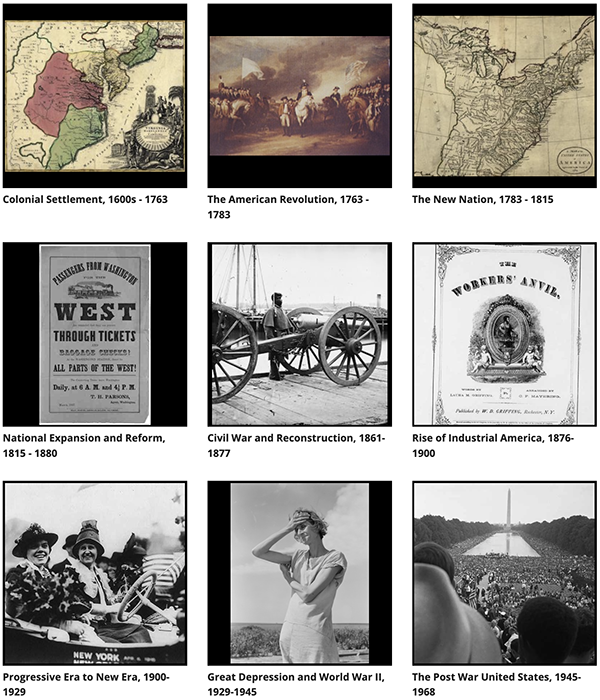
American Memory is the online gateway to rich primary source materials relating to the history and culture of the United States. This section of the Library of Congress offers millions of digital items from nearly 150 historical collections.

Tips for Searching the Collections

  • You can locate items in the American Memory collections by using the Browse or Search functions.
    Browse Function
    You can browse collections by topic, time period, source type, or place. To get a glimpse of the variety of information included in American Memory, click the List all collections link, then the Show collection description link.
    Search Function
    You can search all collections, search across selected collections, or search within individual collections.
  • Conduct keyword searches of the collection descriptions by clicking List all collections > Show collection description, then Ctrl/Cmd + F and your keywords (e.g., blues, invent, etc.).
  • Searches in American Memory automatically look for all the keywords you enter; search symbols, such as quotes or the minus sign, are NOT valid.
  • You CAN search with symbols using the custom American Memory search found on the TPS-Barat website.
  • When searching all collections or searching across selected collections, you are ONLY searching text in the bibliographic records.
  • To search across selected collections, you must first browse a set of collections, then select the group of collections you wish to search.
  • To search the full text of items in certain collections, enter your keywords in the Search Full Text box within an individual collection; only some collections have this option.
  • Search by entering one or more keywords but, generally, try to limit yourself to a maximum of 3-5 keywords.
  • Remember to use search terms that are appropriate for the time period.
  • If you can’t find what you are looking for, try alternate keywords.
  • If you still can’t find what you are looking for, you might also try your search from the Library of Congress homepage. 


Civil War Photography: Technology & Tricks

The Civil War Glass Negatives collection provides access to about 7,000 views and portraits made during the American Civil War (1861-1865) and its immediate aftermath, many by Mathew Brady (biographical note) and Alexander Gardner.

Taking photographs during the Civil War was a complex, time-consuming process difficult to master in a studio setting and even more difficult when working outdoors.

  • Photographers mixed their own chemicals and prepared their own wet plate glass negatives.
  • The negatives had to be prepared, exposed, and developed within minutes, before the emulsion dried.

The Wet Plate Process

Producing photographs from wet plates involved many steps.

  • A clean sheet of glass was evenly coated with collodion.
  • In a darkroom or a light-tight chamber, the coated plate was immersed in a silver nitrate solution, sensitizing it to light.
  • After it was sensitized, the wet negative was placed in a light-tight holder and inserted into the camera, which already had been positioned and focused.
  • The “dark slide,” which protected the negative from light, and the lens cap were removed for several seconds, allowing light to expose the plate.
  • The “dark slide” was inserted back into the plate holder, which was then removed from the camera.
  • In the darkroom, the glass plate negative was removed from the plate holder and developed, washed in water, and fixed so that the image would not fade, then washed again and dried.
  • Usually the negatives were coated with a varnish to protect the surface.
  • After development, the photographs were printed on paper and mounted.

In Photojournalism An Ethical Approach (1999), Paul Martin Lester discusses the ability of photographers to faithfully record a moment in time as well as the means to alter photographs for various purposes. Read more of Lester’s summary of Civil War photo manipulations and view an example of a manipulated photo.

But how how can you tell if a photo is fact or fiction? Become a better history detective by learning to question what you see in photographs. A case study prepared by the Prints & Photographs Division staff in 2008 outlines how Kathryn Blackwell, former Reference Assistant, Prints and Photographs Division, solved a mystery raised by  a researcher the previous year.

Review the questions and images below to see if you can determine whether the photo at the top of this post is fact or fiction and support your conclusion with evidence. When you think you have all the pieces of the puzzle, compare your evidence and conclusion to what Library experts revealed in Solving a Civil War Photograph Mystery.

Is this General Grant?

Was he that stout around the middle?

Why is Grant, who was noted for his skill and ease around horses, sitting so rigidly on his mount?

And, come to think of it, is that really Grant’s horse?


Look closely at the images below. Notice anything?

Have you solved the mystery? Need more help?

Click the black boxes below to reveal images that might help you put the pieces together. (Note: Use your browser back button to return to this page after clicking through to an image.)

Gen. U.S. Grant at his Cold Harbor, Va., headquarters Maj. Gen. Alexander M. McCook on horseback Confederate prisoners captured at the battle of Fisher's Hill, VA. Sent to the rear under guard of Union troops


Don’t forget to go online to uncover the whole story by reading Solving a Civil War Photograph Mystery!

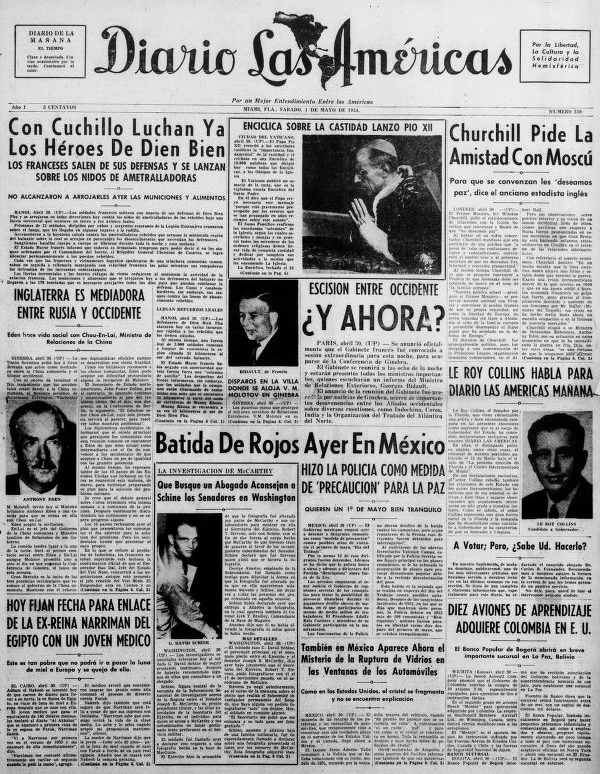
Finding Tips for Chronicling America Historic Newspaper Collection


The Teaching with Library of Congress blog provides some great tips for finding articles in the Chronicling America Historic Newspaper Collections and provides some teaching ideas as well. Be sure to check out, too, the following learning activity: Comparing Reports: Battle of Little Bighorn. Below is a list of topic guides, each which includes a list of important dates, search strategies, and sample articles.

Chronicling America topic guides

Get Immersed in the Interactive Online Exhibitions from LOC.gov


The online exhibitions from the Library of Congress are fabulous resources, featuring treasures from its own collections as well as the treasures from national libraries worldwide. There are around 100 online exhibitions and the number just keeps growing!

You can view the primary sources and read curator notes for every online exhibition, but with some special tools many of the exhibitions provide an even more exciting and immersive experience. Over a quarter of the exhibitions—available on myLOC.gov—offer special interactive features that require special Internet browser plugins. Most use Microsoft® Silverlight® (install Silverlight plugin) while three use Adobe® Flash® (download the Flash player). If you are on a school computer, check with your tech resource before attempting installation.

Below we have listed the interactive exhibitions currently available from the Library of Congress. Links to HTML versions of Silverlight exhibitions are noted in parentheses; if you do not have the Silverlight plugin or are unable to install it, use the HTML version links. Silverlight exhibitions that have non-interactive counterpart exhibitions are listed as well. If you have any questions or concerns, don’t hesitate to contact PSN.

Silverlight interactive exhibitions

Alvin Ailey American Dance Theater: 50 Years (HTML Version)


As the Old Sing, So the Young Twitter (HTML Version)


Bound for Glory: America in Color, 1939–1943 (HTML Version)


Louis Braille: His Legacy and Influence (HTML Version)


Centennial Celebration of Diaghilev’s Ballets Russes, 1909–1929 (HTML Version)


Coast to Coast: The Federal Theatre Project, 1935-1939 (HTML Version)


Creating the United States (HTML Version)
Declaring Independence: Drafting the Documents


Earth As Art 3: A Landsat Perspective (HTML Version)
Earth as Art: A Landsat Perspective


Exploring the Early Americas (HTML Version)
The Cultures and History of the Americas


Gettysburg Address (HTML Version)


HERBLOCK Editorial Cartoons: Enduring Outrage (HTML Version)


Herblock! (HTML Version)
Herblock’s History: Political Cartoons from the Crash to the Millennium


Herblock Gallery (HTML Version)
Herblock’s Gift: Selections from the Herb Block Foundation


Hope for America: Performers, Politics & Pop Culture  (HTML Version)
Bob Hope and American Variety


I Love Lucy: An American Legend (HTML Version)


The Last Full Measure: Civil War Photographs (HTML Version)


Library of Congress Bible Collection (HTML Version)
Illuminating the Word: The St. John’s Bible


With Malice Toward None: Abraham Lincoln Bicentennial (HTML Version)


Molto Animato! Music & Animation (HTML Version)


NAACP: A Century in the Fight for Freedom (HTML Version)


The Red Book of Carl G. Jung: Its Origins and Influence (HTML Version)


Swann Gallery: Caricatures, Cartoons & More (HTML Version)
Monstrous Craws & Character Flaws: Masterpieces of Cartoon & Caricature


Thomas Jefferson’s Library (HTML Version)
Thomas Jefferson


Voices from Afghanistan (HTML Version)


Voices, Votes, Victory: Presidential Campaign Songs (HTML Version)


Flash-based interactive exhibitions

A Century of Creativity: The MacDowell Colony 1907–2007


Churchill and the Great Republic


Rivers, Edens, Empires: Lewis & Clark and the Revealing of America


Viewing & Saving Items from American Memory


If you need help remembering how to view and save primary source maps and images as well as audio and video files from the Library of Congress, TPS-Barat has got you covered. Simply visit the Viewing & Saving Items from American Memory page on the TPS-Barat website.

Tech Tips & Tutorials

In the Tech Tips & Tutorials category, we will show how to use technology to support primary source teaching and learning. If you have something that you do or would like to do to marry technology and primary sources, please let us know!

Post a comment or contact PSN.